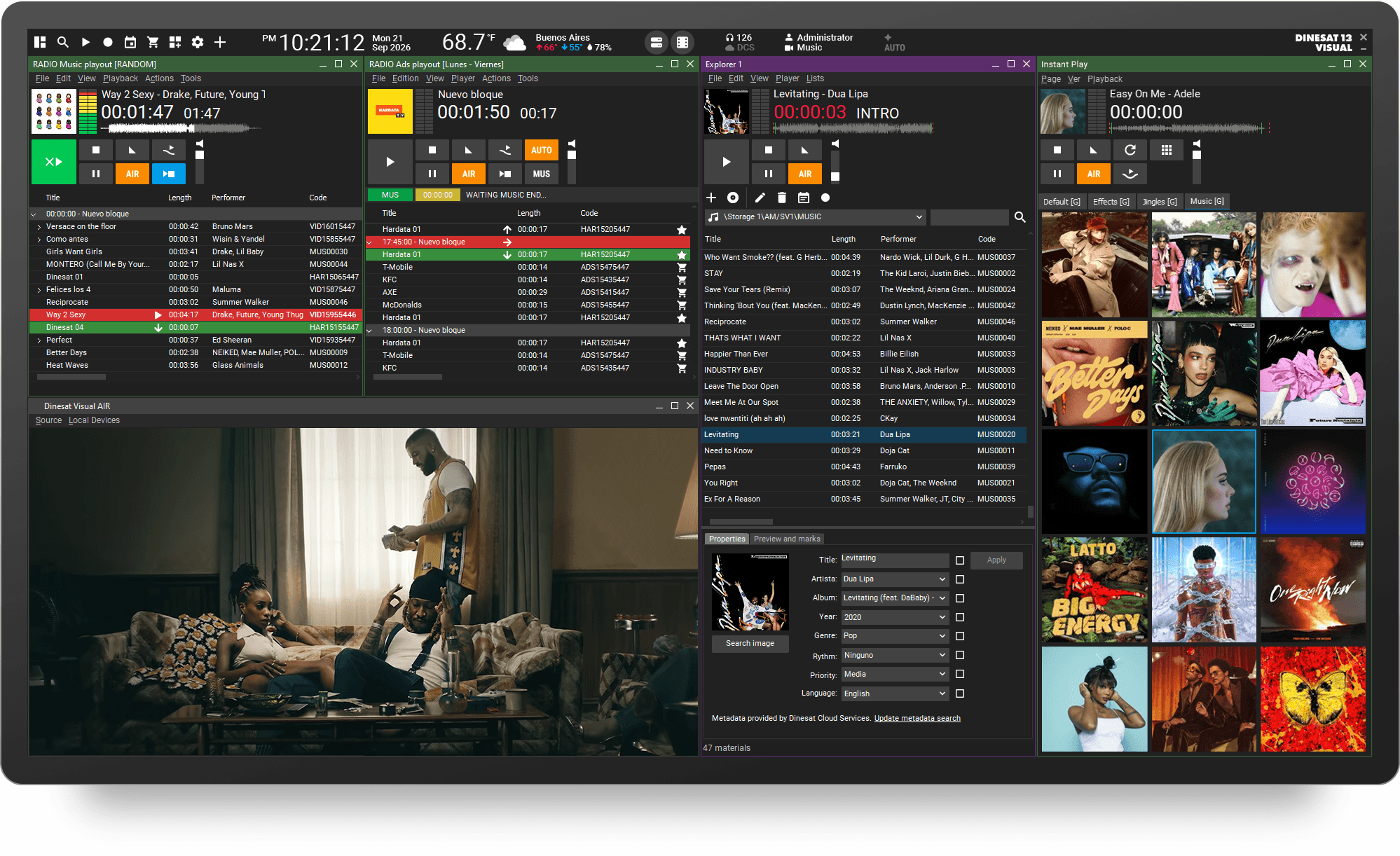
DINESAT 13 VISUAL brings together all the tools needed to manage a visual radio station within a single platform. It enables integrated and automated scheduling and playout of audio and video content, streamlining broadcast workflows.
Camera and video automation reduces manual intervention, optimizes operational resources, and simplifies audiovisual content production, helping stations expand their presence across multiple platforms without disrupting traditional radio workflows.
Ingest, schedule, and play out audiovisual content without worrying about video operation.
Designed with radio operators in mind, DINESAT 13 VISUAL adds video while preserving the familiar workflow of a conventional radio operation.
Configure the system so cameras automatically switch to the person speaking at the right moment during your live show.
Instantly trigger audio and video content. The Instant Play window provides up to 100 customizable buttons per page.
Commercial management is now natively integrated with automation, eliminating manual processes, reducing errors, and enabling a much smoother workflow across sales, scheduling, and on-air operations.
All relevant information shares the same technology platform, simplifying planning, playout, and control.
Learn more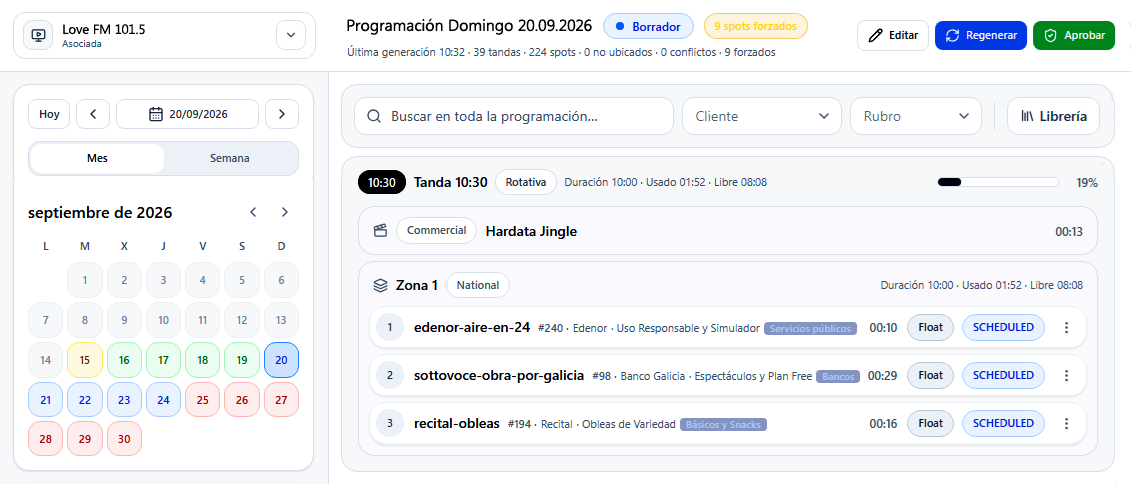
Artificial intelligence is becoming part of day-to-day operations. The new platform includes tools that automate tasks and streamline workflows that traditionally required manual intervention.
DINESAT 13 was designed to continuously incorporate new capabilities, including future tools for music scheduling, analytics, monitoring, cloud services, and artificial intelligence.
Log everything that goes to air and generate a complete as-run report with the information you need.
Create an audiovisual aircheck that can be used as a legal recording.
DINESAT provides a public API platform that simplifies integration with third-party applications and broadcast solutions.
The APIs allow external systems to interact with the automation platform, access operational data, control workflows, and build custom integrations without relying on proprietary interfaces.
This open architecture provides a solid foundation for in-house development, enterprise system integration, and new AI-powered broadcast applications.
Learn more
Your audience can tune in online through social platforms or your website. You choose the destinations.
Easily relay audiovisual content from other stations using a single DINESAT. Streamline your workflow and create new business opportunities.
Continuously monitor equipment and system health to detect abnormal conditions before they cause failures, enabling early intervention and reducing the risk of on-air interruptions.
Choose how you want the interface to look. Switch between dark and light mode with a single click.
Our visual radio automation system works together with vMix, giving you the tools to:

SMART DIRECTOR lets you apply different automatic modes to control cameras and video sources, allowing you to create your own production style.

Control your visual radio operation from a tablet or any PC with VIRTUAL DIRECTOR. It can be used by both the station operator and the live producer, allowing fast scene changes and real-time editing of graphic text.

VIRTUAL MIX works as an extension of the console, allowing each playout window to be controlled as an additional channel.

Generate dynamic content and hyper-realistic voices with our AI tools. Automate music presentations, ads, news briefs, promos, spots, and real-time updates such as time, weather, and forecasts. Everything is delivered with the natural flow of a live announcer.
Learn more
We will guide you step by step in the acquisition of your Dinesat.
Choose the method of purchase, subscription or one-time payment.
Available for payment through


Select the Number of licenses you want to purchase.
Limits renew monthly. (1) PRO voices correspond to a premium voice library. (2) GPT character limit for generated requests.
Includes remote assistance, priority attention by email, and 24/7 emergency phone support for dead air issues.
Free support only includes questions about initial product installation and activation. You can also consult the Help Center where you will find useful information about our products. (*) 10% off included buying now with your Dinesat license.
Thank you for choosing Dinesat.
By pressing continue you will be redirected to the Dinesat Store to continue with your purchase.
| Dinesat 13 Visual () |
|
| Total |
Do you need help with your purchase? Contact us via Email , WhatsApp or call us at +541146503110
The Personalized Assistance service will help you avoid or solve issues. It includes remote assistance, priority attention by email, and 24/7 emergency phone support only for dead air issues.
If you already have an active subscription, contact Support.
Go to SupportFree support only includes questions about initial product installation and activation. You can also consult the Help Center where you will find useful information about our products.